
1. Fitbit app > Account button (top left)
2. Charge 3 > Device Lock
3. Set PIN Code: Set Pin
4. Create a 4 digit PIN...
PIN: [4 digit PIN]
Please enter the PIN again to confirm: [Re-enter 4 digit PIN]
5. NEXT
1. Fitbit app > Account button (top left)
2. Charge 3 > Device Lock
3. Set PIN Code: Set Pin
4. Create a 4 digit PIN...
PIN: [4 digit PIN]
Please enter the PIN again to confirm: [Re-enter 4 digit PIN]
5. NEXT

WARNING: Always wipe the charging port completely dry before connecting the charging cradle.
1. To set up, connect Charge 3 to charging cable. Make sure gold pins are aligned
2. fitbit > Log in
3. Let's get started:
Email:
Password:
Log in
4. Account button (top left) > '+ Set up a Device'
5. What are you setting up?: Charge 3
6. Fitbit Charge 3: Set Up
7. Permission request > OK
8. Read our terms & policies: Swipe UP > I AGREE
9. Charge your Charge 3: NEXT
10. Location permission required to sync:
Check 'Location Permission' > While using the app > Keep 'While the app is in use'
Check 'Location Services'
Update Settings
11. Searching for Charge 3...
12. Pair your tracker: Enter 4 digit display on Charge 3
13. Notification: Close
14. Update available!: NEXT
15. Low Battery: Try Again (Wait for battery charged more than 50% to retry)
16. Privacy & your Fitbit device: Swipe UP > I ACCEPT
17. Set up your Charge 3: NEXT
18. Updating Your Fitbit Charge 3... (Up to 30 minutes) > Installation in progress...
19. All set!: DONE
20. Please reset your silent alarms: NEXT
21. Bluetooth Pairing and Linking: OK
22. Link Fitbit with Charge 3: OK
URL: https://help.fitbit.com/articles/en_US/Help_article/2395.htm

1. Play Store > Search 'Fitbit' > Install > Open
2. Join Fitbit
3. Fill in:
Email:
Password:
Check on 'I agree to the Fitbit Terms of Service...'
Next
4. Your Privacy Is Important: I Agree
5. About you:
First Name:
Last Name:
Birthday: DD Mth YYYY > OK
Height: xxx cm
Weight: xx kg
Sex: [Female|Male] > Done
Create an account
6. Sign in Automatically: NEVER
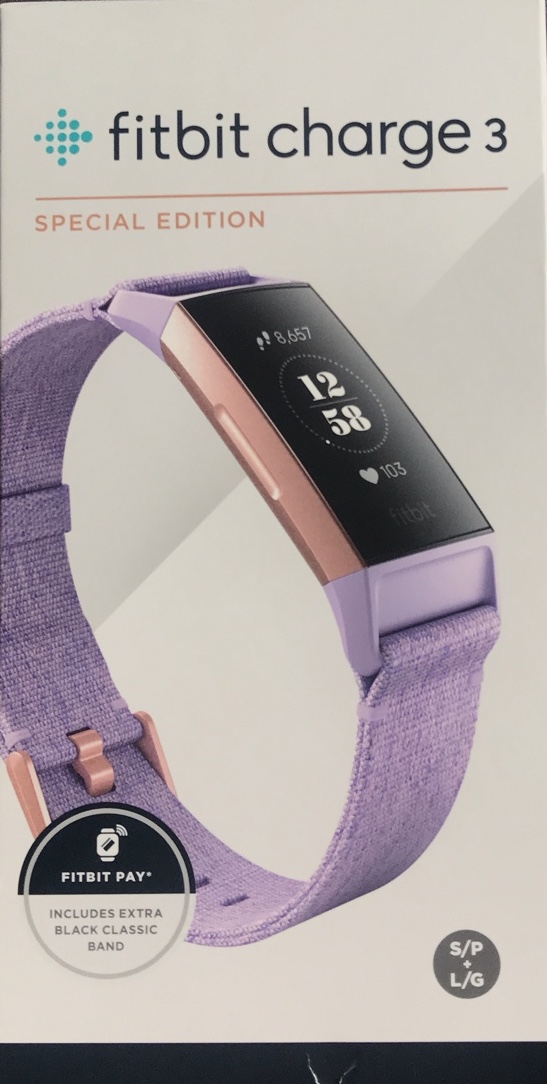
In The Box
• Fitbit Charge 3 Rose Gold case in Lavender Woven Band (LARGE + SMALL)
• Additional detachable (LARGE + SMALL) Black Classic Band
• USB charging cradle cable
• Safety Instructions & Limited Warranty
COOL’s
• OLED vertical 1.57" large display
• 24/7 heart rate tracking
• Cardio Fitness Score
• All-Day Calorie Burn
• 20+ Goal-Based Exercise Modes
• Female Health Tracking
• SmartTrack Automatic Exercise Recognition
• Built-in NFC
• Real-Time Pace & Distance using Phone GPS
• 50M waterproof
• Up to 7 days battery life
• Voted 2018 Fitness Tracker of the Year by Wareable
SUCX’s
• Sometimes touchscreen was a bit unresponsive
• Battery will drain faster if notification and sensors turn on
• Firmware update slow. Up to 30 minutes.
• Minima bank support for Fitbit Pay
• Unable to update firmware if device battery less than 50% even charger plug-in
URL: https://www.fitbit.com/global/de/products/trackers/charge3

1. Settings > Software update > Download and install > Download
2. Downloading update...
3. Install now
4. Android system update > Reboot > Update (%) > Reboot
5. Phone is updating... Optimising app x of y > Optimising storage
6. Login to the phone > Finishing system update...
7. Software update > OK
