1. On text document, click on where the emoji will appear.
2. Press 'command' + 'control' + 'space bar' key.


3. On 'Characters' palette, click on 'Character Viewer' icon located on the top right.
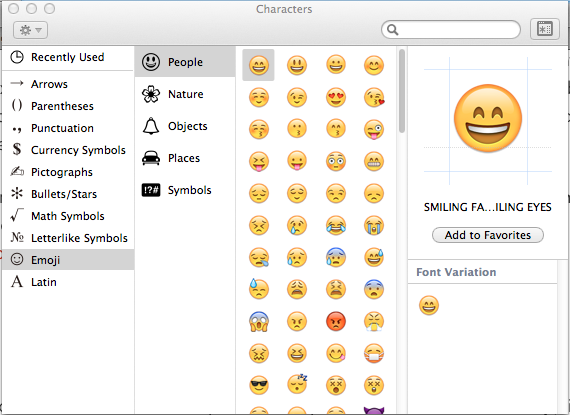
4. Click on Emoji on left hand panel > Click on desire sub-category > Click on desire emoji
5. To close, click on 'x' located on top left.
