2. Click Get button next to 'Wear OS by Google' >
3. App Store:
> Install
4. Open
5. Wear OS by Google
> Start setup
6. Terms of Service
> Agree
7. Enable Bluetooth sharing
> Enable
8. "Wear OS" Would Like to Use Bluetooth
> Allow
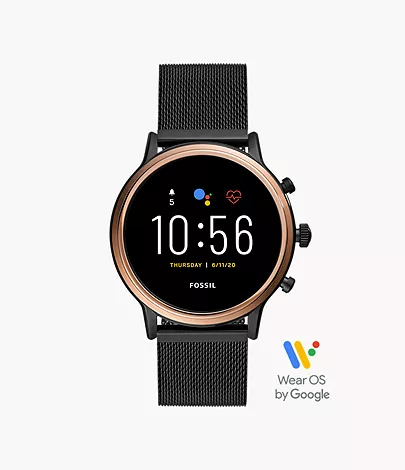
Model: FTW6036
Color: Gold Black Silicon
In The Box
• Fossil Gen 5 Smartwatch Julianna HR FTW6036
• USB cable with magnetic charger
• Quick Start Guide
• Fossil Warranty and Information
COOL’s
• 3.2 cm AMOLED / 416 x 416 / 328ppi
• Qualcomm Snapdragon Wear 3100 Processor
• 2 Additional Push Buttons (configurable)
• Accelerometer, Altimeter, Ambient Light, Compass, Gyroscope, Off-body IR, PPG Heart Rate sensor
• Stylish mesh band
SUCX’s
• Relatively pricey
• Bloatware
• Battery 24 hours, will drain faster if more features enable
• Firmware update slow.
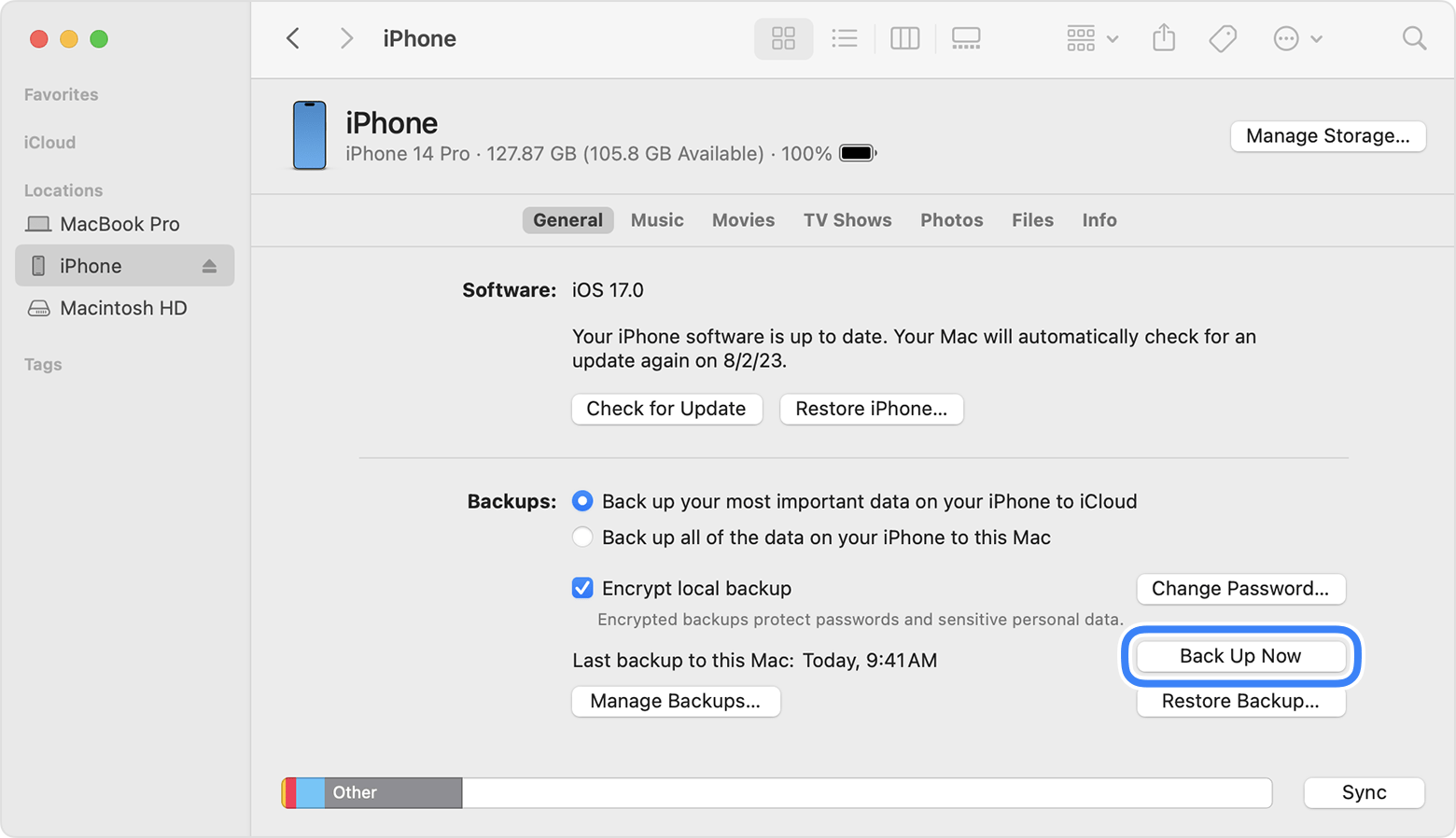
REMARK: For macOS 10.15 or later, use Finder to backup
For macOS earlier than 10.15, use iTunes to backup
1. Connect iPhone 13 Pro and MacBook Air using USB-C to Lightning Cable.
2. On iPhone:
. Trust This Computer? > Trust
. Enter Passcode > [passcode]
3. On MacBook Air:
'Software Update: A software update is required to connect to [iPhone_name] iPhone'. > Install
4. Installing 1 item
5. Finder sidebar > Click [iPhone_name]
6. On right hand side, click General tab
. Select 'Back up all of the data on your iPhone to this Mac' > Back Up Now
7. When Back Up completed:
Last backup on this Mac: Today, [h:mm AM/PM]
8. Under 'General' tab, click 'Manage Backups' to view all Back Up.
URL: https://support.apple.com/en-my/guide/iphone/iph3ecf67d29/ios

PRE-PAIRING:
@ Update iPadOS to the latest
@ Apple Pencil compatible with iPad Air
@ Apple Pencil charged, with battery 50% or more
1. Attach Apple Pencil on right hand side of iPad magnetic connector
2. Welcome to Apple Pencil > Continue
3. Try Scribble > Continue
4. Explore Double Tap > Done
1. Attach Apple Pencil on right hand side of iPad magnetic connector
2. Swipe left on iPad Home Screen
3. Look for Apple Pencil icon for current battery level